

PROJECT: Interview for a Blu-ray special feature
MY ROLE ON THIS SHOOT: B and C-camera operator
PROCESS SHOWN: Camera work and an independent color study
Behind the frame
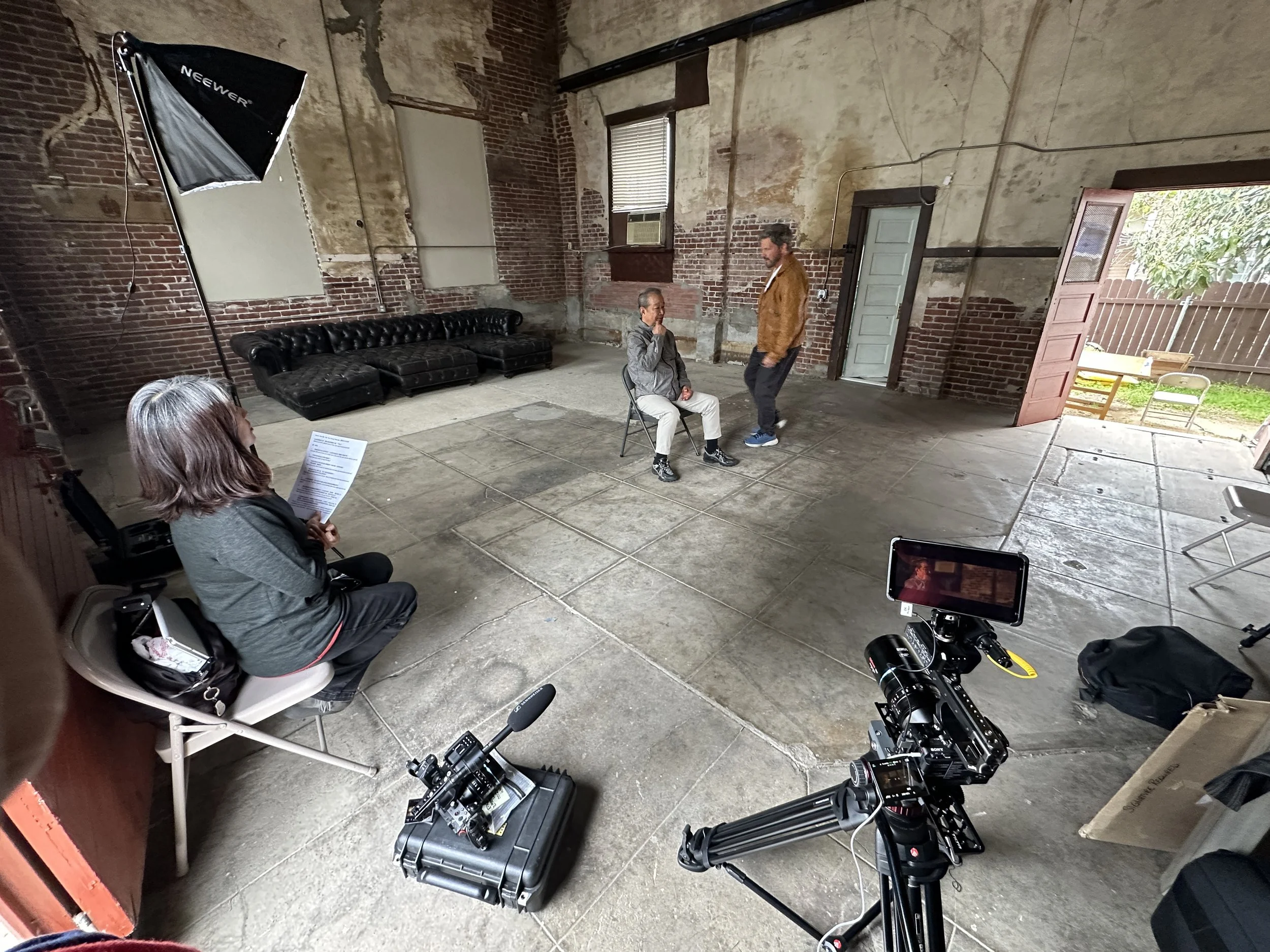
Behind the frame: Director, filmmaker, and producer Michael Worth gives legendary martial arts film star, Delon Tan final notes before we roll cameras for the interview. The lighting, camera placement, and exposed brick establish the foundation for the look. B camera, in the lower right, is a Sony FX3 paired with the SIRUI Venus 150mm anamorphic for tighter coverage. C camera, in the lower left, is another Sony FX3, paired with the SIRUI Venus 35mm anamorphic. Its wider view places Delon within the room and shows his position in relation to Michael, who sits beside A camera during the interview. A camera is outside this setup photo to the right.
Behind the Scenes
My work on Blu-ray special features includes directing, segment producing, interviewing, camera operation, film history commentary, and consulting. For this shoot, I operated B and C cameras, both Sony FX3s. B-camera carried a SIRUI Venus 150mm T2.9 anamorphic lens for tighter interview coverage, while C-camera used a SIRUI Venus 35mm T2.9 anamorphic lens for a wider view of Delon Tan, the room, and his position in relation to interviewer Michael Worth.
The production photographs show the interview environment and camera setup behind the footage.
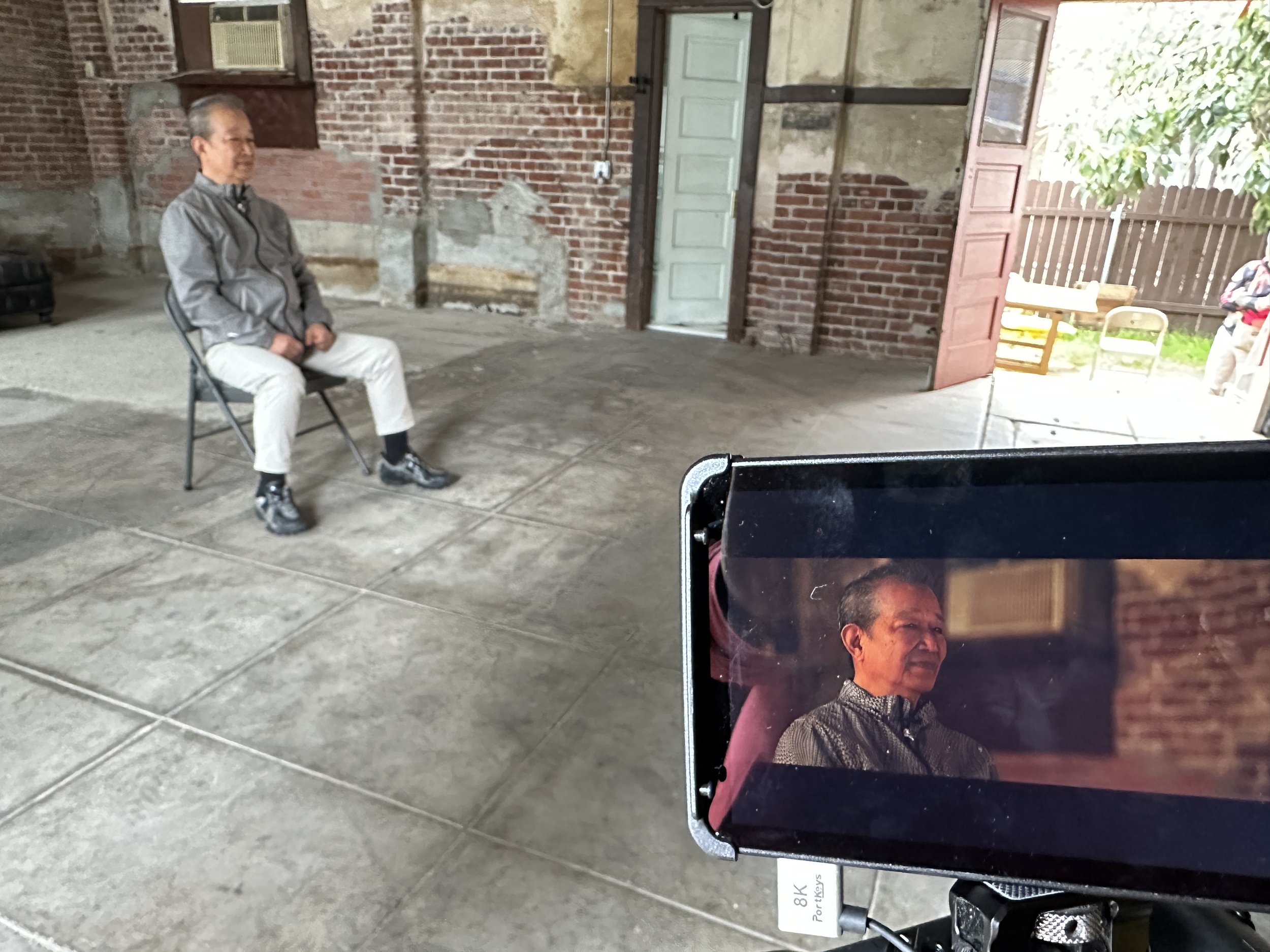
The room and the frame tell different stories. The Portkeys LH7P monitor helped me check framing and focus, showing how a carefully chosen composition turns a spacious location into an intimate portrait of Delon.
Why work in stages? Can’t I just make all the adjustments in one go?
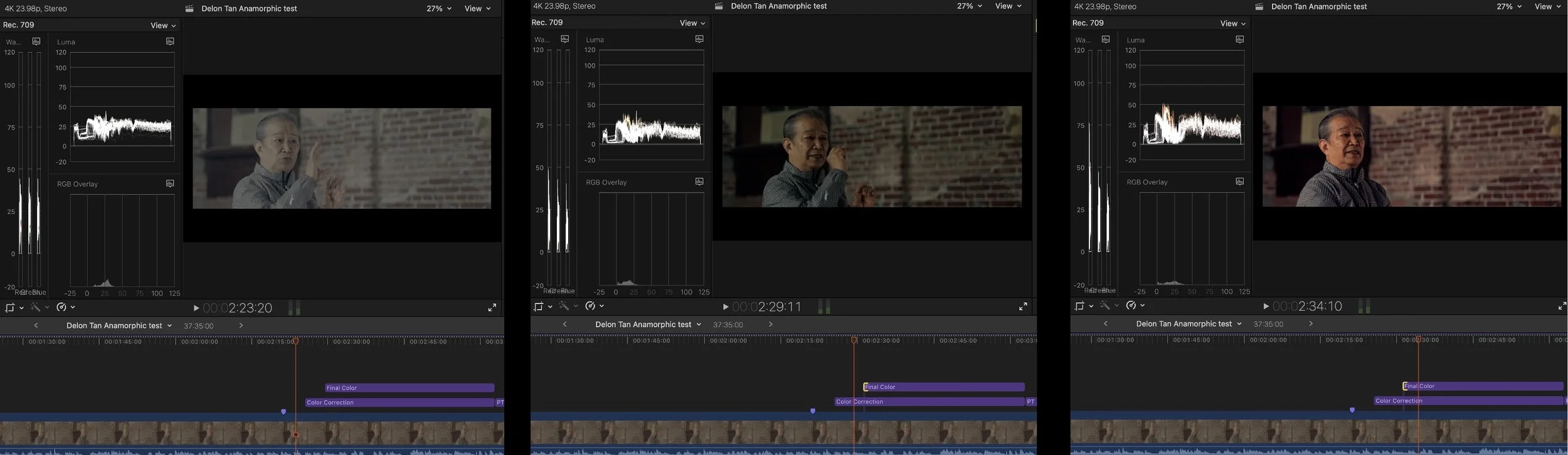
I approach color much like a painting, building the image in layers. I use adjustment layers to give each stage a separate purpose: balancing the color, refining brightness and contrast, then shaping the final look. This lets me revisit and fine-tune each stage while seeing how it contributes to the whole image.
If I pile every adjustment onto the same layer, the image can get murky. A later adjustment may overpower an earlier one, taking the image somewhere I didn’t intend. Separating them helps me keep track of what each change is doing and control how strongly it affects the image.
For someone starting out, this makes the process more manageable. You can focus on one purpose at a time, compare the image with and without that layer, and decide whether the adjustment is helping. Each pass builds toward the finished look.
BUILDING THE LOOK IN LAYERS
The purple bars above the interview footage are adjustment layers. I give each layer a specific purpose, keeping the changes separate so I can revisit, compare, and fine-tune their contribution to the finished image.
Exploring the Image
After the shoot, I developed a color study using my own footage to demonstrate its visual potential. I sent the director screen grabs showing the proposed treatment. After reviewing them, he decided to use the footage and handled the color work himself.
The progression below shows my study, from uncorrected footage through color balance and correction to my final treatment.
Uncorrected Footage → Color Balance → Color Correction → Final Color
1. UNCORRECTED S-LOG3- THE STARTING POINT
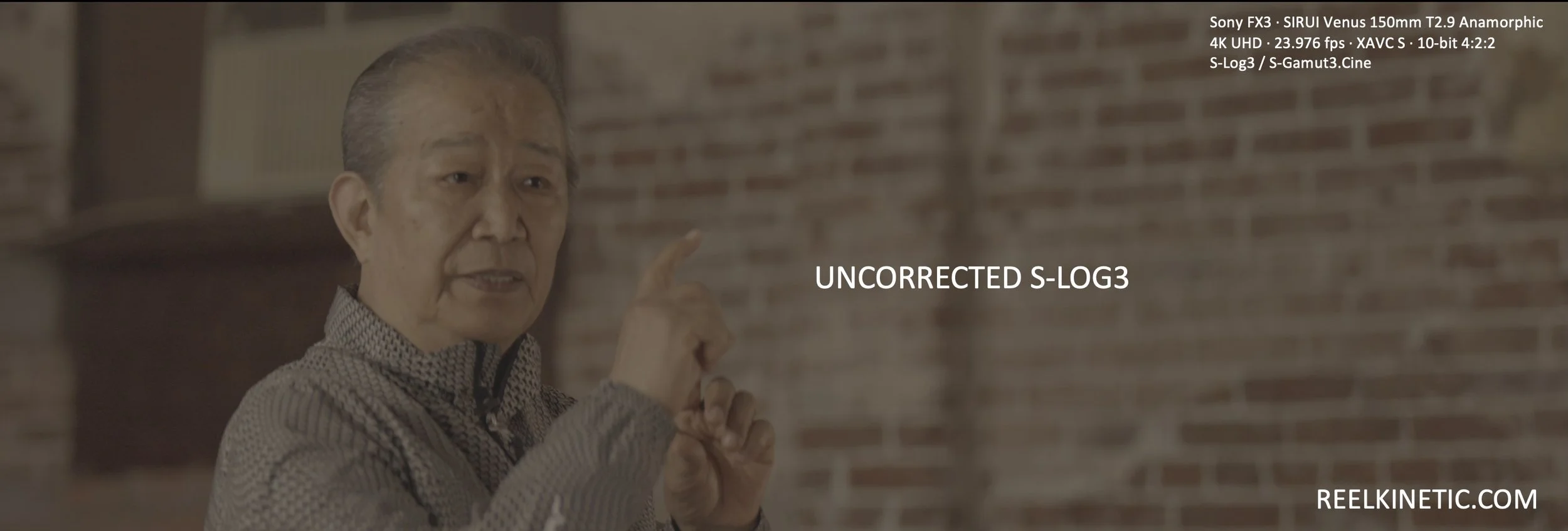
If you’re new to shooting in S-Log3, the subdued image can feel a little alarming at first. Here, the colors are muted, the shadows look lifted, and a warm cast runs through the picture. This is the starting point, before the image has been prepared for its final presentation. You don’t have to solve everything at once. Begin by looking at the face, the brightest areas, and the shadows, then work through the adjustments one step at a time.

2. COLOR BALANCED- ESTABLISHING A FOUNDATION
Color balancing addresses an overall color cast before the stronger contrast and finishing choices. In this frame, the yellow-brown warmth has been reduced, bringing Delon’s face, gray clothing, and the room toward a more neutral starting point.
For a beginner, the question is simple: does the whole picture look too warm, too cool, or tinted green or magenta? Make small adjustments and compare them with the starting image. Neutral objects can offer useful clues, while the face helps you judge whether the result feels believable.

3. COLOR CORRECTED - GIVING THE IMAGE DEFINITION
With the overall balance established, the next stage gives the image more definition. Here, the blacks deepen and the contrast becomes stronger, making Delon’s features and the texture of his clothing more distinct. This is still an intermediate stage—the face appears darker than it does in the finished version.
Think of correction as getting the image into a useful working range. Can you read the expression? Are bright areas distracting? Do the shadows retain the detail you want? Adjust brightness, contrast, and color in small steps, checking how each change affects the whole frame.
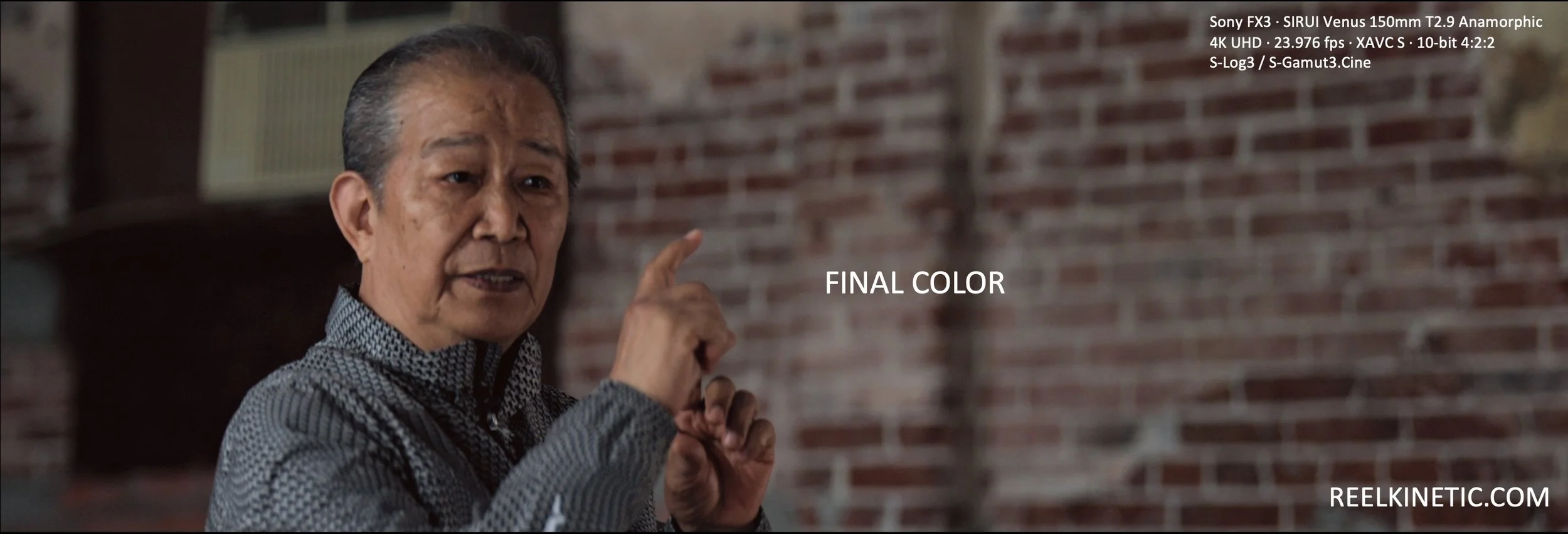
4. FINAL COLOR - SHAPING THE FINISHED LOOK
The final pass brings the adjustments together. In this version, Delon’s face is brighter, warmth returns to his skin and the brickwork, and the image feels more inviting while retaining depth.
This is where technical adjustments become creative choices. How warm should the room feel? How much contrast suits the interview? Where should the viewer’s eye settle? Compare the versions and keep the changes that serve the person and the story. The process becomes more manageable when each adjustment has a clear purpose.
“Final Color” refers to the completed study shown here, not the final release grade.
Capture Details
Camera: Sony FX3, full-frame
Lens: SIRUI Venus 35mm and 150mm T2.9 Anamorphic
Recording: 4K UHD · 23.976 fps · XAVC S · 10-bit 4:2:2
Color profile: S-Log3 / S-Gamut3.Cine
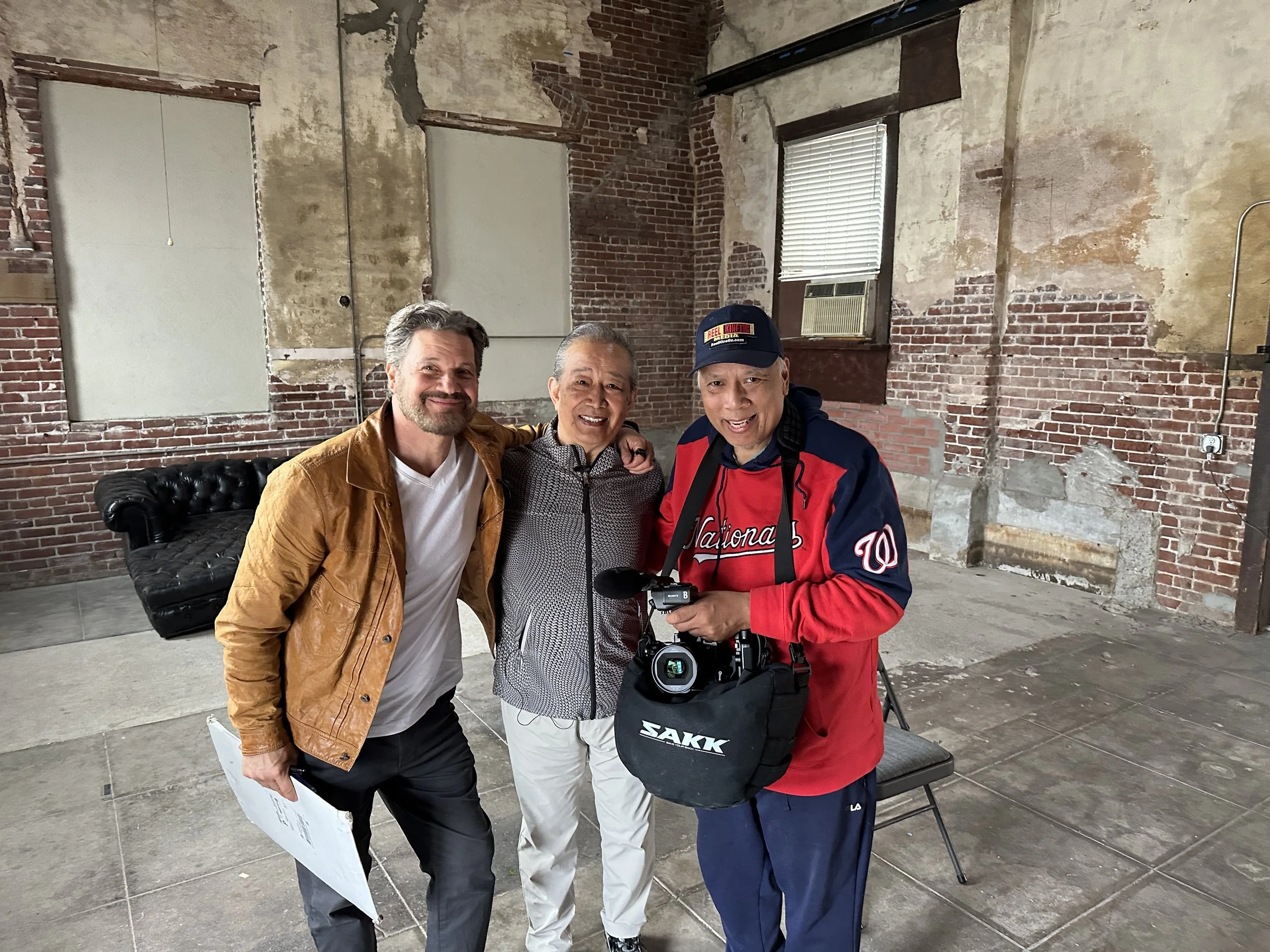
A moment together with Delon Tan and Filmmaker, Mike Worth. Cameras, lighting, and color shape the image; the people and their stories give it meaning.